Inventory management software for warehouses and marketplaces
Run your products, warehouses and orders from one place. Write channel-specific listing content for Trendyol, Hepsiburada, Amazon TR, n11 and Çiçeksepeti, and see low stock before your customers do.
No credit card required · Runs in your browser
Why stock keeping wears you down
Every growing business hits the same wall: more products, more sales channels, and stock numbers scattered across files.
Finding out after you've sold out
Learning that a product ran out from a customer complaint or a cancelled order costs you the sale and some trust. Without a minimum stock level, the same surprise comes back every month.
A different listing for every marketplace
One title on Trendyol, another description on Hepsiburada, other images on Amazon. Once the content lives in separate files and tabs, nobody is sure what's live where.
Spreadsheets nobody trusts
Several warehouses, a few Excel files and tables someone updates by hand. When you can't tell who changed what, the stock count stops meaning anything.
How StokTakip works
Nothing to install. You're up and running from your browser in three steps.
Create your account
Sign up for free and tell us your organization's name, industry and team size. We don't ask for a credit card.
Add warehouses and products
Set up your warehouses and enter products with category, SKU, price and cost. Use variants for options like color and size, and bundles for items you sell together.
Run stock and orders from one dashboard
Process outbound, inbound and return orders, move stock between warehouses, and prepare marketplace content. When stock drops below your threshold, an alert shows up on your dashboard.
The tools a growing seller uses every day
More than a product list: marketplace content, bundles, multiple warehouses, orders and alerts work together in one place.
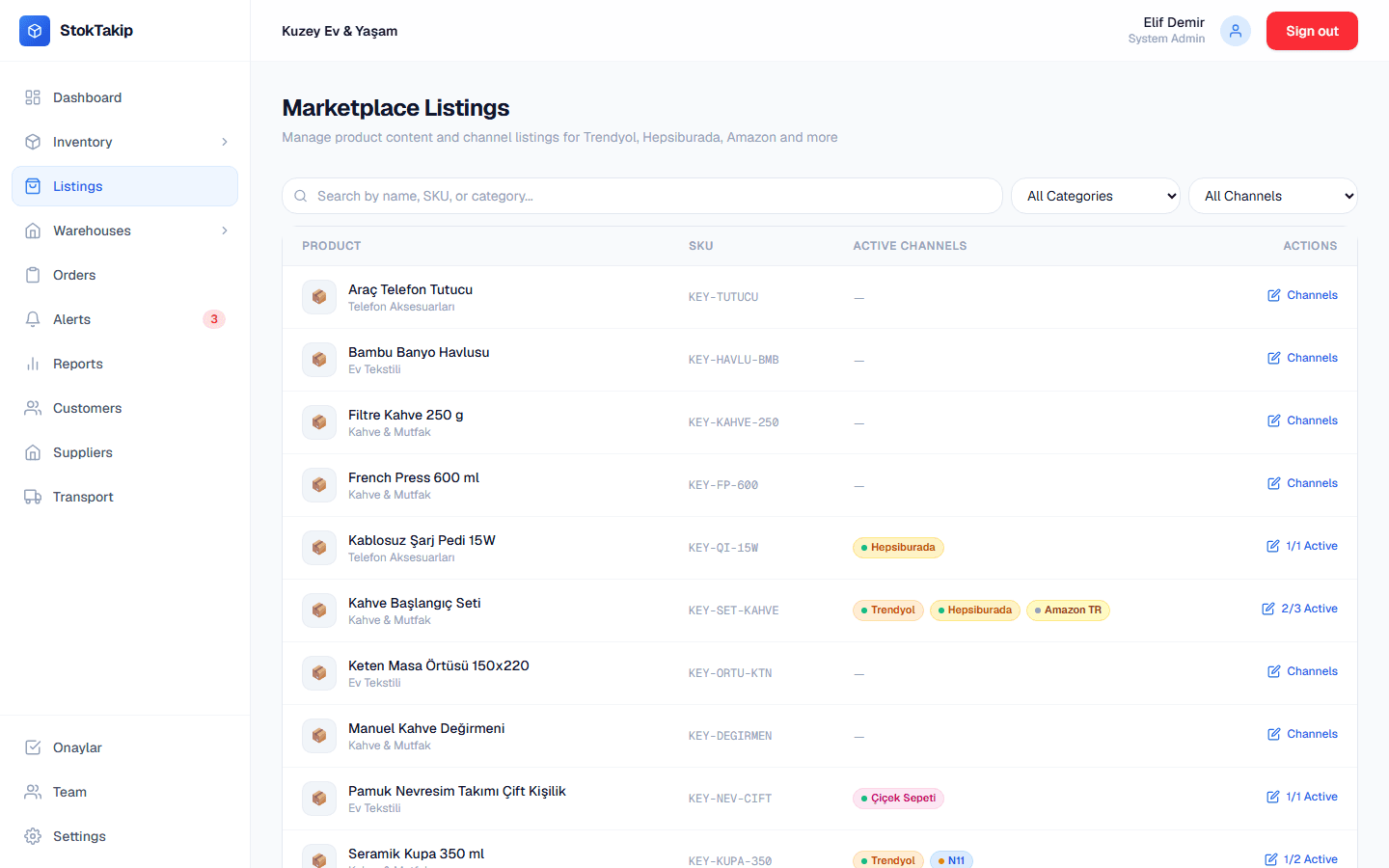
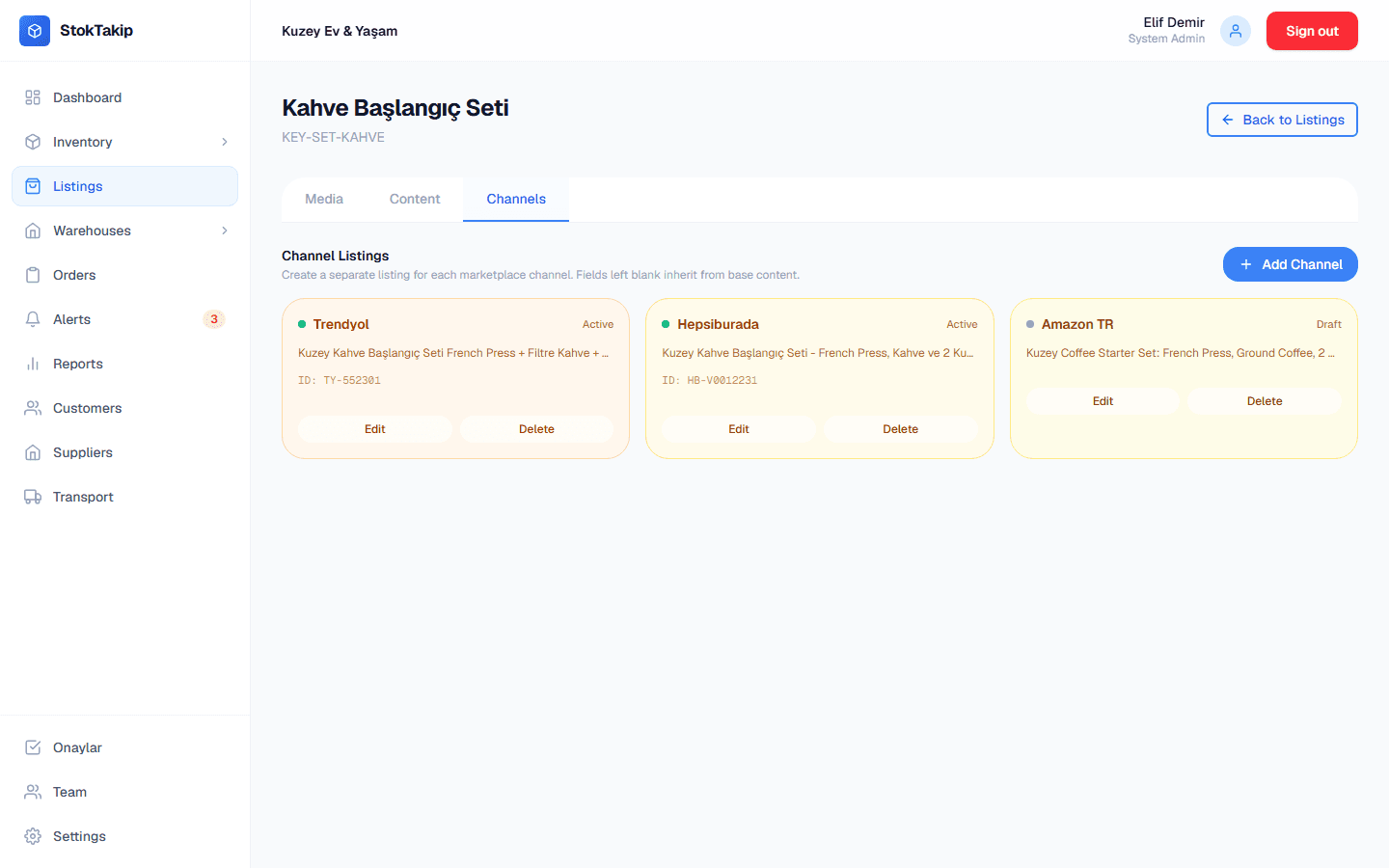
Marketplace listing management
Enter each product's shared content once, then tailor the title, bullet points and description for each marketplace. Fields you leave empty on a channel fall back to the shared content, so you never write the same text five times.
- Separate channel records for Trendyol, Hepsiburada, Amazon TR, n11 and Çiçeksepeti
- Draft, active, paused and error states on one screen
- Brand, barcode, weight and dimensions kept in one place
- Upload and reorder images per product and per variant
Bundles and kits
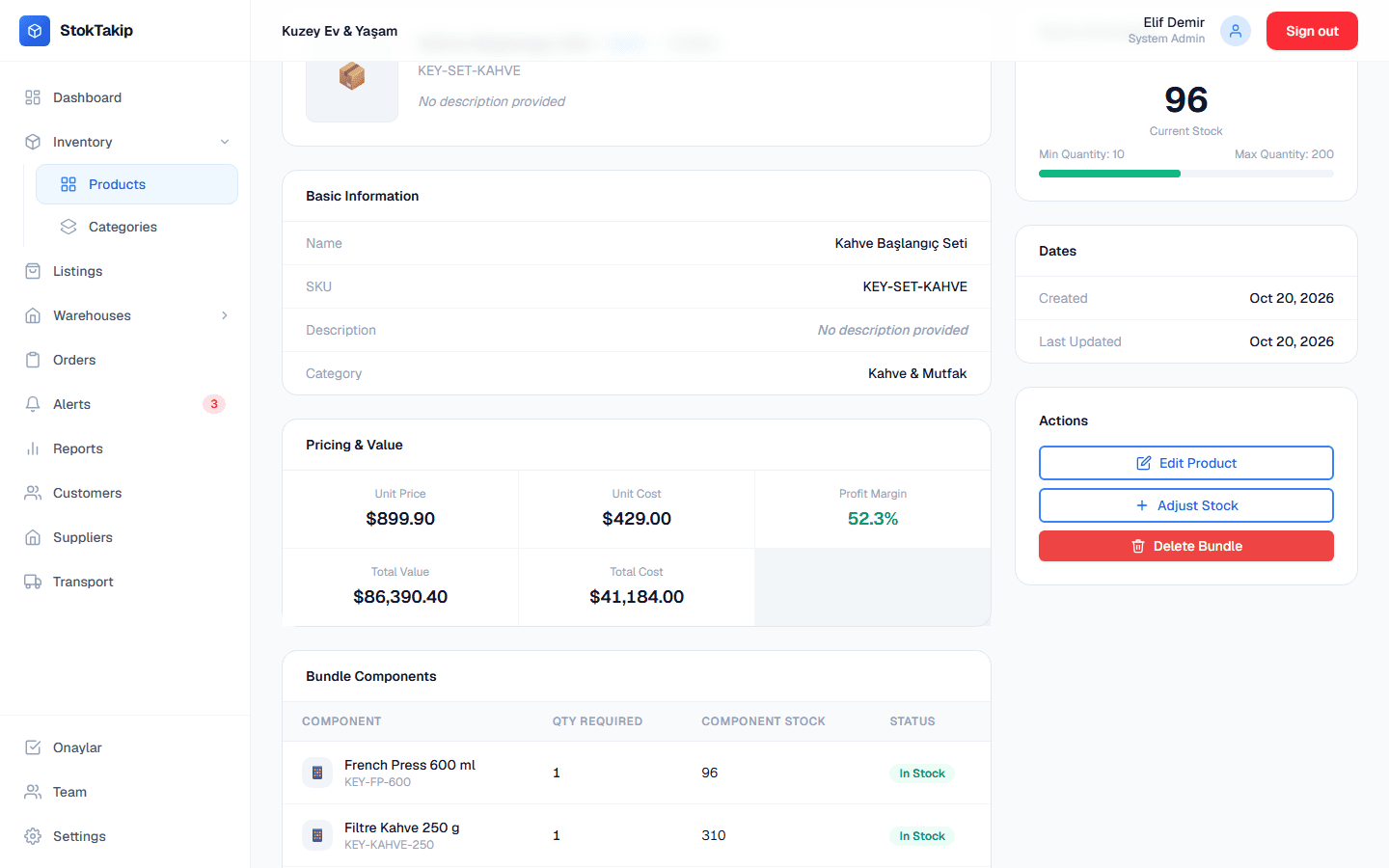
Define the products you sell together as a bundle. Its stock is calculated from its components, and selling a bundle deducts every component in a single step, so you can't sell a kit you can't actually pack.
- Set how many of each component a bundle needs
- Bundle stock follows the scarcest component
- Component stock updates in one transaction when a bundle sells
- See a suggested bundle price based on component prices
Multiple warehouses and transfers
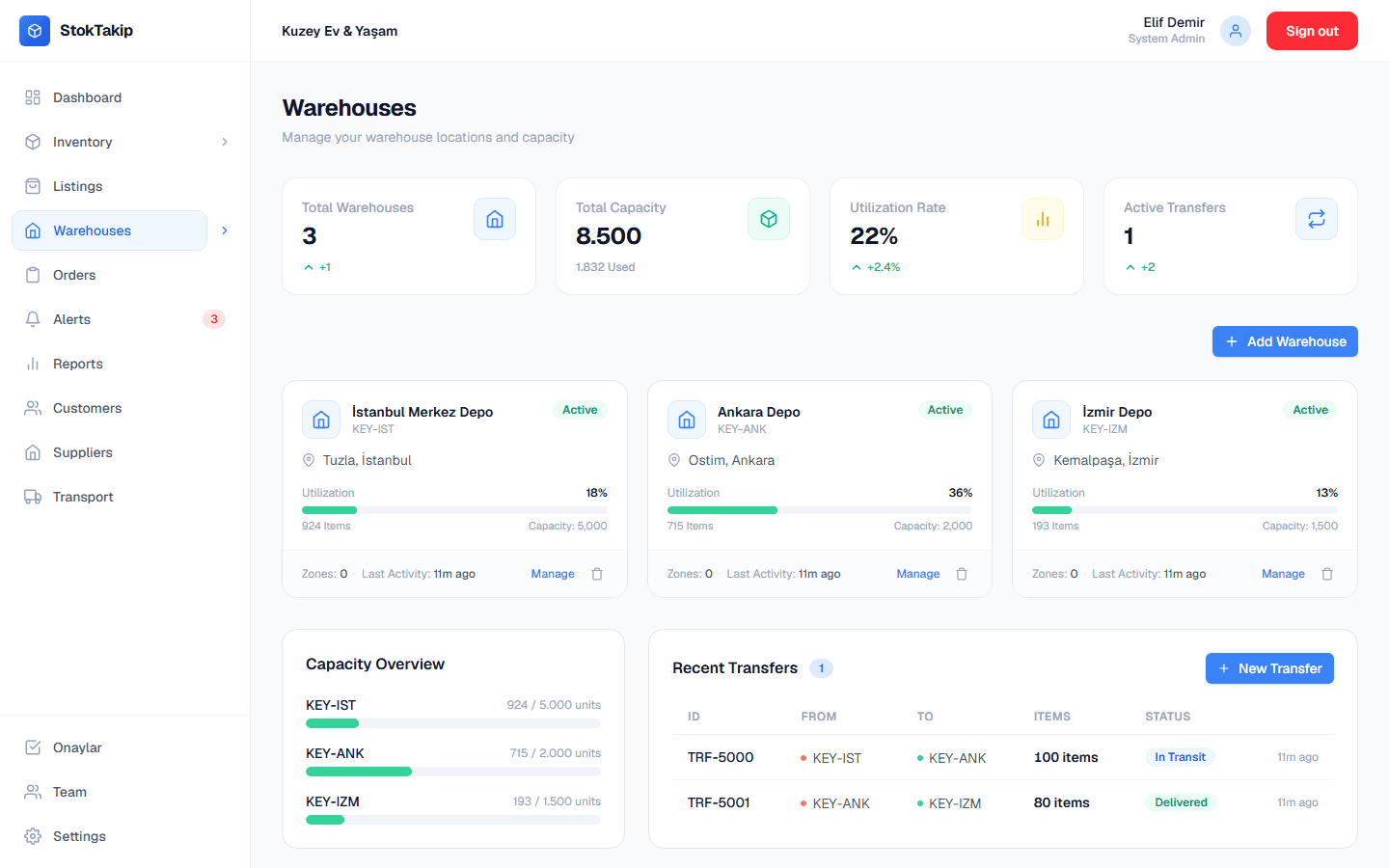
Stock is tracked per warehouse, so you always know how many units sit where. Start transfers between warehouses and follow them from in transit to delivered.
- Stock and capacity usage per warehouse
- Zones (shelves, areas) inside each warehouse
- Transfer states: pending, in transit, delivered
- Pick the source warehouse on each order line
Orders, customers and suppliers
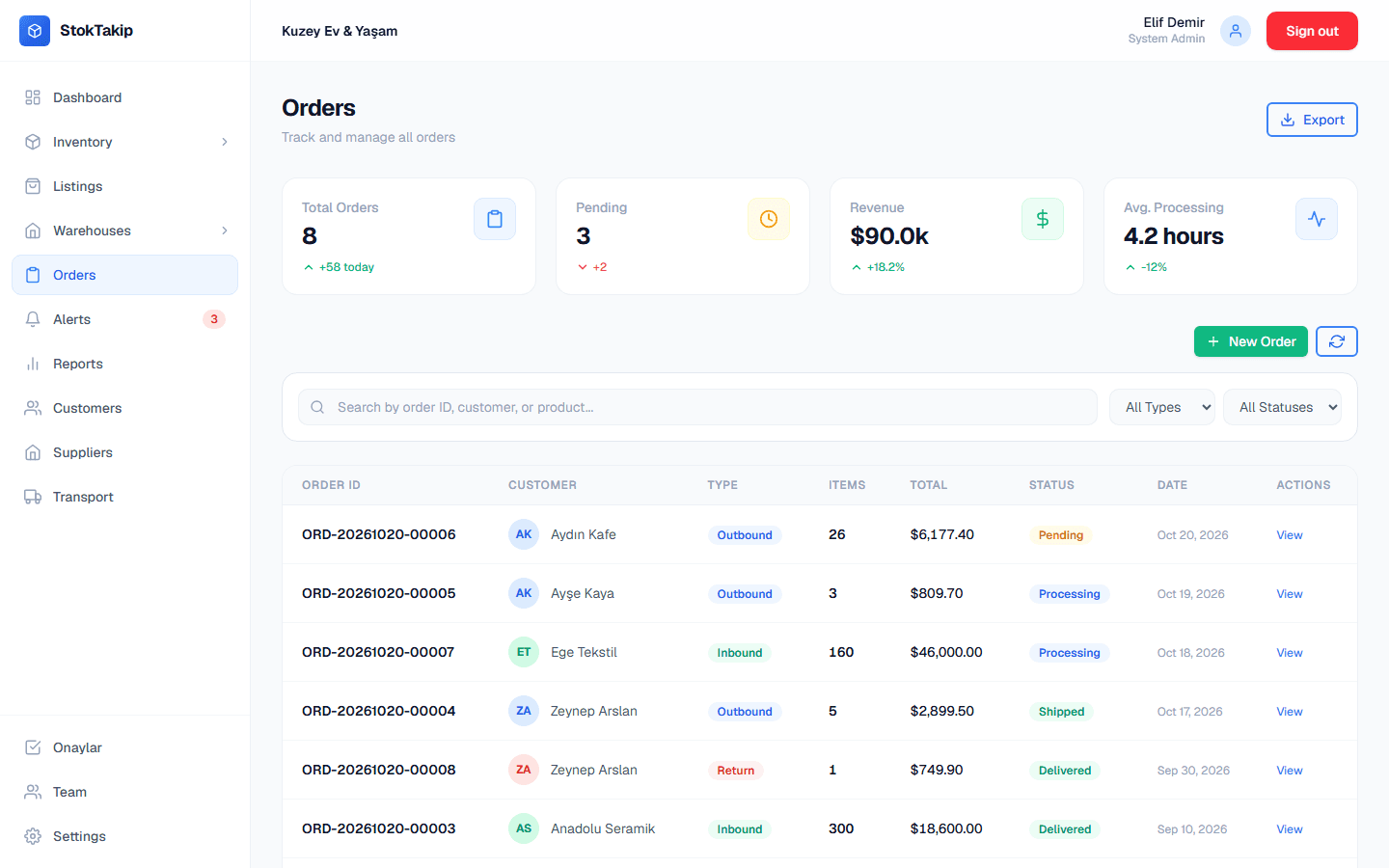
Handle sales, purchase and return orders in one list. Move each order through its stages, and keep your customer, supplier and carrier records in the same dashboard.
- Outbound, inbound and return orders
- Pending, processing, shipped and delivered states with status history
- Customer, supplier and carrier records
- Quick search by order number or customer name
Low-stock alerts
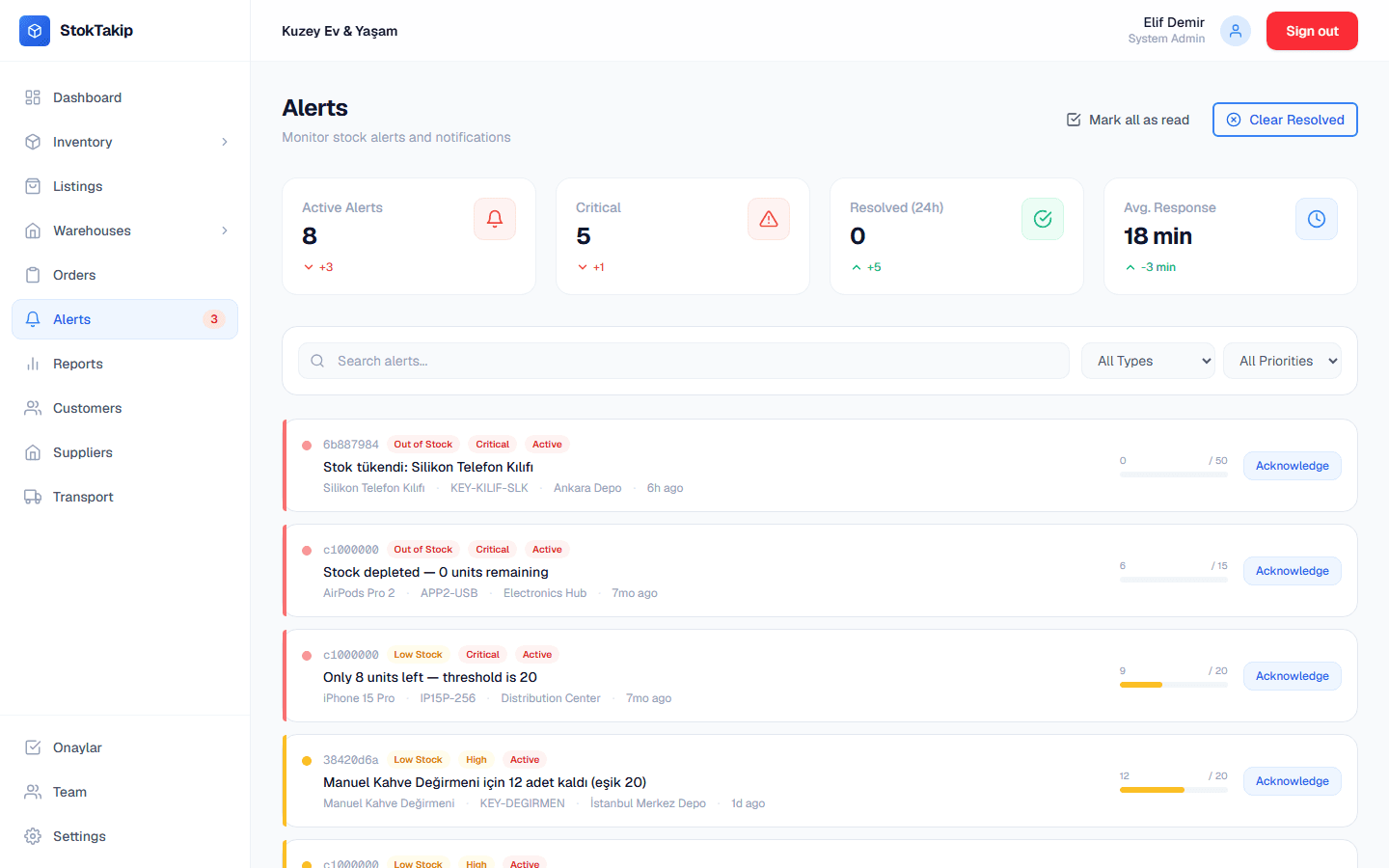
Set a minimum stock level for each product. When stock drops below it or runs out, an alert is created automatically, and it resolves itself once you restock.
- Low-stock and out-of-stock alerts are created automatically
- Priority levels: low, medium, high, critical
- Acknowledge or resolve alerts
- Search and filter alerts by type and priority
And there's more
Product variants
Define attributes like color and size and generate every combination at once. Each variant gets its own SKU, price and stock.
Learn more: Product variantsRoles, permissions and approvals
Seven built-in roles plus per-person permission settings decide who can see and change what. Sensitive actions such as deleting products, changing prices or adjusting stock wait for a manager's approval.
Learn more: Roles, permissions and approvalsReports
Charts for best sellers, monthly trends, stock movements, and warehouse and category breakdowns.
Learn more: ReportsTurkish and English interface
Everyone on your team can use the dashboard in Turkish or English.
All your marketplace content in one place
Open a channel record for each product, adapt titles and descriptions per marketplace, and keep track of each channel's status and its marketplace product ID.
- Trendyol
- Hepsiburada
- Amazon TR
- n11
- Çiçeksepeti
Who it's for
From a single-warehouse boutique to a wholesaler with several depots: any business that holds stock.
E-commerce and marketplace sellers
Selling on several marketplaces? Tailor product content per channel, build promotional bundles, and work from a single stock number.
Retail stores
See store and back-room stock separately, rebalance with transfers between locations, and let low-stock alerts keep your shelves filled.
Wholesale and distribution
Follow incoming supplier orders and outgoing customer shipments in one place, and keep your customer and supplier records tidy.
Your data is protected, and you stay in control
Business data is valuable, so StokTakip lets you decide who can reach what.
Data separated by organization
Each business's products, orders and customers live in its own organization and are protected by access rules enforced in the database.
Permissions and approvals
Sensitive changes don't go through until an authorized person approves them, and every request is kept with who asked, who approved and when.
30-day restorable deletion
When you delete your organization account or a team member, the data is kept for 30 days and can be restored within that window.
Care for personal data
On permanent deletion, personal details such as email, name and IP address are also removed from system logs. Built with Turkey's KVKK obligations in mind.
Frequently asked questions
What is StokTakip?
StokTakip is browser-based inventory software for managing your products, warehouses, orders and marketplace listing content from one dashboard.
Is StokTakip free?
During early access every plan is free, and we don't ask for a credit card or any payment details. The Free plan stays free once paid plans start. We'll let you know before that happens.
How do I manage my Trendyol and Hepsiburada products?
On the Listings screen you open a channel record per product and marketplace. You write a channel-specific title, bullet points and description, and keep the record's status (draft, active, paused, error) and the marketplace's product ID. Fields you leave empty fall back to the product's shared content.
Can I manage more than one warehouse?
Yes. Stock is tracked per warehouse, so you can see how many units of a product sit where. The number of warehouses depends on your plan: 1 on Free, 2 on Starter, 5 on Professional, unlimited on Enterprise.
How is stock calculated for bundles?
A bundle's stock is calculated from its components: each component's available quantity is divided by the amount the bundle needs, and the lowest result is the bundle's stock. Selling a bundle deducts every component in the same step.
What happens to my data if I delete my account?
When you delete your organization account, the data is kept for 30 days and can be restored during that time. After 30 days it's permanently deleted, and personal details such as email, name and IP address are also removed from system logs.